
Where to publish a browser game, and find players

A browser game needs no store approval and no download, so publishing one can be as simple as sharing a link. The work is choosing where that link lives.
This guide goes from the free, instant options to the ones that review your game, pay you or cost money. Platform rules are as of September 2026 and linked at the end; check them again before you submit.
The options at a glance
| Where | Cost | Money for you | Main requirement | AI rules |
|---|---|---|---|---|
| Your own URL | Free on static hosts | Your own ads or donations | None | None |
| itch.io | Free | Sales or tips; you set itch.io’s cut | Zip with index.html at the root |
Disclosure optional for games |
| CrazyGames | Free, reviewed | Ad revenue after Full Launch | Size limits; SDK for Full Launch | None in the docs |
| Poki | Free, hand-picked | 50/50 on Poki traffic | Fills a phone screen; web exclusivity | Allowed, with conditions |
| Steam | US$100 per game | Sales | A downloadable build | Disclose AI content |
| App stores | US$25 once (Google), US$99 a year (Apple) | Sales, ads, purchases | A native wrapper | Store policies apply |
1. Your own URL
Start with a URL of your own. Vibe Jam 2026 asked for games on their own domain or subdomain where possible (jam rules), and free static hosts such as Cloudflare Pages, GitHub Pages, Netlify or Vercel serve one. A short domain is easier to remember and share.
Put a title screen with one line of how-to-play in front, and give the page a share image, so a posted link shows a picture:
<meta property="og:title" content="Your Game: dodge rocks for 60 seconds">
<meta property="og:image" content="https://yourgame.com/share.png">
2. itch.io
itch.io is free to upload to, doesn’t ask for exclusivity, and lets you choose how much of each sale it keeps (creator FAQ). An HTML game is a zip with index.html at its root, up to 1,000 files, 500 MB unpacked and 200 MB per file, with relative paths only (HTML5 docs).
Two details trip up AI-made games. Absolute asset paths break, because itch.io serves the game from a subfolder. And the SharedArrayBuffer option moves the game to another domain, html.itch.zone, so saves in local storage from before the switch disappear (itch.io forum).
AI disclosure is optional for games and required for asset creators; answering yes adds an “AI Generated” tag with categories such as graphics, sound and code (itch.io).
3. CrazyGames
CrazyGames reviews every game and offers two launches. A Basic Launch goes live without the SDK and without monetization; a Full Launch needs the SDK and every integration requirement, and only then do ads, and ad revenue, start (requirements, SDK). Payouts come monthly once you have earned at least €100 (payouts).
The size limits matter for 3D games. The initial download must stay under 50 MB, or 20 MB for the mobile homepage. The total may reach 250 MB, or 50 MB without the SDK, in at most 1,500 files (technical requirements). CrazyGames also expects games to run on Chrome, Edge and a 4 GB Chromebook, and to take mouse, keyboard and touch input.
The docs have no rule against AI, and the FAQ lists AI tools for code, art, sound and music as a normal part of making a game (FAQ). What CrazyGames does ask for is originality in names, assets and content (gameplay requirements).
4. Poki
Poki hand-picks every game. You apply with a form about your studio, past releases and engine, and Poki reaches out if it’s interested (apply). You keep all revenue from traffic you bring and split Poki’s traffic 50/50, and Poki asks for web exclusivity, while Steam, app stores and consoles stay yours (working with Poki).
On phones, Poki wants the game to fill the screen in portrait, landscape or both, and warns that players tend to leave if loading takes more than 10 seconds (quality requirements). Its team says each extra megabyte costs “a couple percent of players” (Poki blog).
On AI, Poki’s line is that it “should empower, not shortcut”. No AI watermarks or prompt text may show anywhere, and you may be asked to show which tools you used and how (Poki).
Decide on exclusivity before you apply. If the game might go to other web portals, Poki isn’t the first stop.
5. Steam and the app stores
These cost money and want more than a link.
- Steam charges US$100 per game through Steam Direct, paid back once the game earns US$1,000 (Steam). Its content survey asks you to disclose AI-generated content that ships with the game (Steam). See selling AI-made games for the revenue share and the rest.
- Google Play costs US$25 once (Google). New personal accounts must first run a closed test with at least 12 testers opted in for 14 days in a row (Google). A Trusted Web Activity wraps your web game in a full-screen Chrome tab, built with the Bubblewrap CLI (Android docs).
- The App Store costs US$99 a year (Apple), and its guideline 4.2 rejects apps that don’t go “beyond a repackaged website” (Apple). Capacitor wraps a web app for iOS and Android (Capacitor); plan native touches such as haptics or offline play.
Before you post anywhere
- Small first download. CrazyGames’ mobile homepage caps it at 20 MB, and each extra megabyte loses players on Poki. Load the menu first and stream the rest.
- Fills a phone screen, with touch controls as well as a keyboard. Poki’s team calls asking players to rotate the phone a “conversion killer” (Poki blog).
- Relative paths, which itch.io and CrazyGames both require.
- Audio starts after the first tap, with a mute button. Sound for games covers why.
- The best moment inside 10 seconds, as Poki’s team advises, and a short clip of it for social posts.
Playtesting games with AI automates most of this list.
Find players
Reddit works when you follow each community’s rules. r/WebGames and r/playmygame are built for sharing playable games, and a September 2026 roundup of subreddit rules says both want a direct link to the game (rules roundup). r/IndieGaming and r/gamedev restrict self-promotion. Read each subreddit’s current rules before posting. A game developer’s old advice still holds: “show, but don’t sell” (Game Developer).
Game jams bring players and feedback in the same week. Our jam guide covers the ones that allow AI.
Directories keep working after launch week. Submit your game to GamesByAI. Every game is reviewed before it’s listed, players rate it, and its page has a badge with the live rating to put on your own site.
Next: sell it or shrink it for phones
- Selling AI-made games: Steam, itch.io sales and the disclosure rules in detail.
- How to make a mobile game with AI: portrait layouts and touch controls.
- Make a multiplayer game with AI: portal rules for chat and rooms.
Games to look at
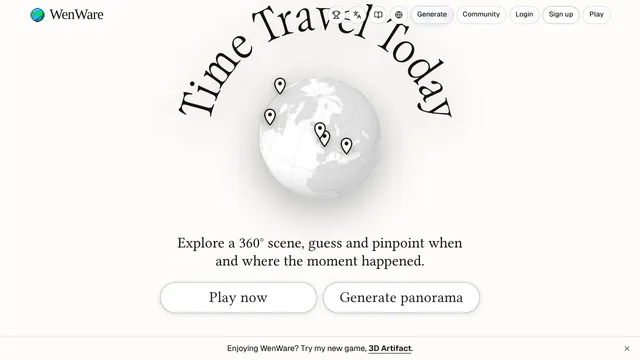
WenWare
Guess the place and year of a 360-degree historical scene.

A Game About Capybaras Delivering Food
Drive capybaras around a cozy open world delivering food without toppling the fruit stack.
 Claude · Simulation
Null Range
Fly a first-person spacecraft and dogfight other pilots online

Blockzilla
Play a giant kaiju smashing New York while evolving new powers each run.
Claude · Action


Questions
Where can I publish a browser game for free?
On your own static host, such as Cloudflare Pages, GitHub Pages or Netlify, and on itch.io, which is free to upload to and lets you set its revenue share. CrazyGames and Poki are free too, but they review games before they go live.
Do game portals accept games made with AI?
CrazyGames' documentation has no AI rule and its FAQ treats AI tools for code, art and sound as normal. Poki allows AI when it helps the game rather than replacing effort, bans visible AI watermarks and prompt text, and may ask which tools you used. itch.io asks asset creators to tag AI content; for games the disclosure is optional.
Can I put a browser game on the App Store or Google Play?
Yes, by wrapping it in a native shell such as Capacitor, or on Android as a Trusted Web Activity. Google Play costs a one-time US$25 and new personal accounts must run a closed test first. Apple costs US$99 a year and rejects apps that are only a repackaged website.
How do I get players for my browser game?
Post a direct link where players look for new web games, such as r/WebGames and r/playmygame, following each community's rules. Enter game jams, and list the game in directories such as GamesByAI, where players can rate it.