
Codex game development: a practical guide

What Codex is
Codex is OpenAI’s coding agent. It comes as a command-line tool, an IDE extension for VS Code, Cursor and Windsurf, a desktop app and a cloud version at chatgpt.com/codex (README). The command-line tool is open source under the Apache-2.0 license. Board and card games called Codex share only the name.
You sign in with a ChatGPT account or use an OpenAI API key. Codex reads your project, edits files and runs the tools already installed on your machine (CLI docs). Tool facts on this page are as of September 2026 and link to their sources.
You still choose the engine. For a web game, Codex writes the code for a library such as Three.js or Phaser. For Godot or Unity it writes GDScript or C#, and MCP servers let it work the editor as well. Add one with codex mcp add <name> -- <command>, and it works in the CLI, the IDE extension and the desktop app (MCP docs).
The community godot-mcp server runs a Godot project and reads its debug output, and MCP for Unity works with any MCP client. Unity’s official agent plugin also supports Codex, for Unity 6 or later. MCP servers for game development covers setup and safety.
Set up Codex in a game folder
Install the command-line tool with npm install -g @openai/codex or brew install --cask codex, or use the install script or a GitHub release (README). Then run codex in your game folder and choose Sign in with ChatGPT. Use /permissions to choose what Codex may do without asking and to see which folders it can write to (CLI docs).
Add an AGENTS.md file next. Codex reads it before it starts work, first from your Codex home folder, then from the repository root down to the current folder. Files closer to where you work override earlier ones (AGENTS.md docs). By default it stops reading at 32 KiB, and OpenAI’s guide says a short, accurate file is more useful than a long one full of vague rules (best practices). For a Phaser game:
- Stack: Phaser from npm, Vite, TypeScript; game code in src/
- Run: npm run dev, then open http://localhost:5173
- Controls: arrow keys and touch; every action works with both
- Rules: relative asset paths only; run npm test after every change
Write a first prompt with a finish line
OpenAI’s best-practices guide says a strong prompt has four parts, the goal, the context, the constraints and a “done when” condition (best practices). A first prompt for a game in that shape:
Goal: a 60-second arcade game where you catch falling fruit with a basket. Context: an empty folder, Three.js from a CDN. Constraints: keyboard and touch controls, no build step, relative asset paths. Done when: it loads on a phone and each round ends on a score screen.
For anything bigger, plan first. OpenAI’s browser-game use case starts with a PLAN.md that sets the player goal, the main loop, controls, win and fail states, difficulty, visual direction, the stack and the milestone order (use case). Plan mode, /plan, lets Codex gather context before it writes code (best practices).
Pick the model with /model. OpenAI suggests starting with Light reasoning for GPT-6 Astra, High for GPT-6 Luna, and your account’s default effort for GPT-6.1 Sol (models). Settle phones and multiplayer in the plan too. Of the 73 listed Codex games, 43 are flagged as playable on mobile and 36 have online multiplayer.
Iterate one mechanic at a time
Build one mechanic per loop and have Codex run the build or tests after each one. In OpenAI’s browser-game use case, a Playwright Interactive skill lets Codex play each build in a live browser and tune controls, timing and UI feel against the real game (use case).
When something looks wrong, pass a screenshot with codex --image. codex resume reopens a recent chat in the same repository, and /review reports prioritized findings without changing your files (CLI docs). Commit after every loop that leaves the game playable.
Test in a live browser
The Codex browser, in ChatGPT on the web and in the desktop app, opens localhost pages, clicks, types, takes screenshots and verifies results (browser docs). It isn’t in the CLI or the IDE extension, it keeps its own profile, and it can’t automate file uploads.
In the CLI, a browser MCP server does the same job: codex mcp add playwright -- npx @playwright/mcp@latest. For checks you can rerun after every change, playtesting games with AI adds a game-state hook and a Playwright smoke test.
OpenAI’s use case also pairs Codex with an ImageGen skill for concept art, sprites and UI, and suggests saving the image prompts in files so later batches match (use case). For keeping generated art in one style, see how to make game assets with AI.
Cloud tasks are another route. Connect GitHub, let Codex set up an environment, describe the task, then review the diff and test results before you commit or open a pull request (Codex cloud).
Publish and get it listed
Codex cloud tasks can end in a pull request. Cloudflare Pages builds a preview URL for every pull request on a connected GitHub repository, so you can play a change before you merge it (Cloudflare docs). For a quick share, itch.io takes a zip with an index.html and needs relative asset paths (itch.io docs).
Then submit your game; the editorial policy lists what we accept. If you plan to charge for it, read selling AI-made games.
What the catalog’s Codex games show
Data note: as of September 30, 2026, the catalog lists 404 games, and 367 of them are Vibe Jam 2026 entries. The jam’s official page required at least 90% of the code to be written by AI. Creators name the tools themselves, mostly in the jam submission form. We don’t verify them.
By this count Codex is one of the three most-named tools, on 73 of the 404 games (18%), next to Claude Code (169) and Cursor (86).
| Measure | Codex games | All 404 listed games |
|---|---|---|
| Listed games | 73 | 404 |
| Vibe Jam 2026 entries | 68 | 367 |
| Use Three.js | 52 | 266 |
| No engine stated | 8 | 74 |
| Playable on mobile | 43 | 256 |
| Online multiplayer | 36 | 173 |
Creators list Codex for Fanto’s Mega-Mart and WenWare, #2 and #3 at Vibe Jam 2026 (results post). Kanso, #9 of 945 entries (jam press page), names it too. Napless (#21) and Effective Immediately (#25) show the range, a multiplayer toddler brawler and a first-person shooter.
Action is the most common genre among Codex games (30 of 73). Kanso is a calm bonsai game, and its creator says they built it in about a week with Codex. Fanto’s Mega-Mart, a haunted-grocery racer, is designed for desktop play. Browse every Codex game on the Codex hub.
Cost and models, as of September 2026
Codex has no separate subscription. It is included in every ChatGPT plan, from Free ($0) and Go ($8 a month) to Plus ($20) and Pro ($100, $200 or $500 a month) (OpenAI pricing). Plus covers Codex on the web, in the CLI, in the IDE extension and on iOS.
The pricing page counts usage in local messages per five-hour period, a range that depends on the model and the task. Plus and Pro users who reach the limit can buy credits.
| Model | OpenAI’s description | Released |
|---|---|---|
| GPT-6 Astra | Most capable, for complex work across code, apps and research | September 3, 2026 |
| GPT-6.1 Sol | Near-Astra performance for complex work, at a lower cost than Astra | September 29, 2026 |
| GPT-6 Luna | Most efficient, for focused high-volume tasks | September 22, 2026 |
GPT-6.1 Sol comes with Plus, Pro, Business, Enterprise and Edu, where Enterprise and Edu admins must turn it on first; Free and Go users get GPT-6 Luna in the desktop app (models page).
Release dates come from OpenAI’s API changelog, which lists GPT-6 Sol, still named on some OpenAI pages, as released on September 22, 2026. Only 3 of the 73 Codex games name a model, most often GPT-6 Astra, so this page cannot say which GPT model made most of them.
Keep building with Codex
- MCP servers for game development: give Codex a browser, Blender or your engine.
- Best AI for game development: Codex next to Claude Code, Cursor and three other tools.
- Claude Code game development: the same workflow with Anthropic’s coding agent.
- Claude Code vs Codex for game development and make games with ChatGPT: the two agents side by side, and the chat route at OpenAI.
- How to make a game with AI and vibe coding a game: the tool-neutral basics.
- Hubs: OpenAI games, Three.js games and the Vibe Jam 2026 archive.
Games to look at

Fanto's Mega-Mart
Race through a haunted grocery store at rocket speed, grabbing items as you go.
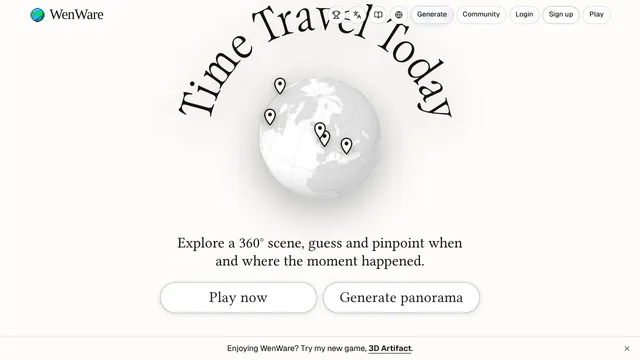
WenWare
Guess the place and year of a 360-degree historical scene.

Kanso
Grow and tend digital bonsai trees in calm, pretty scenes.

Napless
Brawl as a toddler and race to grab the TV remote before nap time.

Effective Immediately
Shoot your way out of a collapsing office nightmare as a burned-out worker.


Questions
Can Codex make a game?
Yes. Fanto's Mega-Mart and WenWare, which placed #2 and #3 at Vibe Jam 2026, list Codex as their tool. OpenAI also publishes a browser-game use case that starts with a plan and has Codex play each build in a live browser.
Which game engine works with Codex?
Any engine whose code lives in text files. OpenAI's browser-game use case suggests Phaser or PixiJS, and Godot or Unity work through MCP servers that let Codex run the editor. Of the 73 listed Codex games, 52 use Three.js and 8 state no engine.
Can Codex generate game art?
Yes, through a skill. OpenAI's browser-game use case pairs Codex with an ImageGen skill for concept art, sprites and UI assets, and suggests saving your image prompts in files so later batches stay consistent.
What is Codex in games?
In this guide, Codex is OpenAI's coding agent, which people use to build games. The name also belongs to board games, card games and video games that have nothing to do with it.